




Alienware Pro Mouse - Review
Alienware's inaugural professional-grade mouse may not boast a flashy exterior, but it is brimming with cutting-edge features that are geared towards offering a competitive edge in virtually any gaming scenario. With a focus on crafting a mouse tailored specifically for professional gamers, Alienware has managed to create a device that is equally suitable for individuals looking to elevate their competitive gaming experience. This is achieved through the inclusion of customizable high polling rates and advanced key plates that deliver swift and precise clicks - characteristics commonly associated with top-tier gaming mice. The end result is a mouse that ticks all the right boxes: lightweight and easily maneuverable, boasting ultrafast polling rates, and offering an extended battery life.
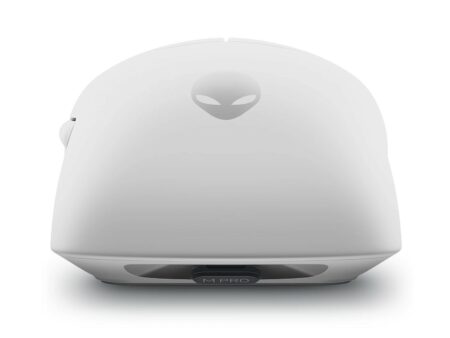
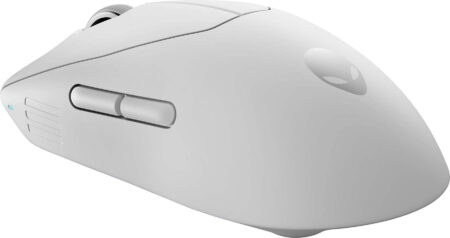
Alienware Pro Wireless Mouse - Design and Characteristics.
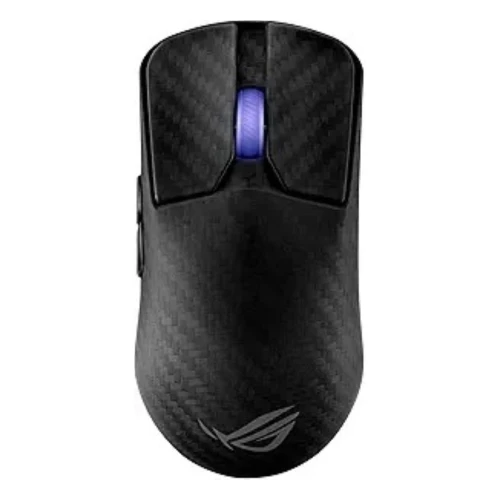
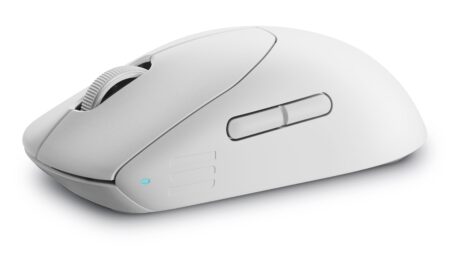
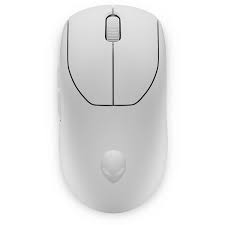
Upon initial inspection, the Alienware Pro Wireless Mouse may appear unremarkable, some might even say ordinary. It lacks the flashy RGB lighting, sharp angles, and excessive buttons typically found in gaming mice, presenting instead a modest, slightly rounded design. With the exception of the matte finish Alienware logo on the palm rest, one could easily mistake it for a standard mouse. Nevertheless, this understated appearance is intentional. Alienware's latest version of their mouse places functionality as the top priority, choosing a sleek and lightweight design that offers a comfortable grip and ease of use. The mouse is intentionally free from any unnecessary features, ensuring that it doesn't become burdensome for professional players who require a device tailored to their specific requirements. The weight of a competitive mouse is a crucial factor, and the Alienware Pro mouse weighs slightly less than 60 grams. Although there are lighter mice available, this weight was determined as the optimal choice through surveys conducted by Alienware with over 100 eSports players. Nevertheless, it remains one of the lightest mice in my possession, and its weight can be deceiving when picked up, as it seems much heavier when resting on a desk. Alienware has prioritized performance by significantly increasing the polling rate of the Pro Wireless Mouse. In wireless mode, the polling rate has been boosted from the industry standard of 1000 Hz to an impressive 4000 Hz, while in wired mode, it reaches an astonishing 8000 Hz. Polling rates in mice can be compared to refresh rates on a monitor, as they determine how frequently the mouse communicates the cursor's position to the computer. Although the perceptible difference in polling rates above 1000 Hz may be debatable, the latency reduction is measurable. At a polling rate of 1000 Hz, the latency is approximately 1ms, whereas at 4000 Hz, it drops to a quarter of that at 0.25ms, and at 8000 Hz, it further decreases to 0.125ms. Generally, higher polling rates result in smoother cursor movement and a technical decrease in latency, but this does come at the expense of battery life. Numerous high-level mice offer a 4000 Hz setting, yet the majority of elite gamers prefer a lower polling rate to greatly extend battery longevity. Alienware has successfully attained 32 hours of battery life with a 4000 Hz polling rate, or an impressive 120 hours if you stick with the standard 1000 Hz default. Fortunately, regardless of your choice, you can rapidly recharge the battery when necessary, as a brief five-minute charge will provide you with an extra six hours of battery life.This mouse is an exceptional workhorse that would be a valuable upgrade for both professional and casual gamers.
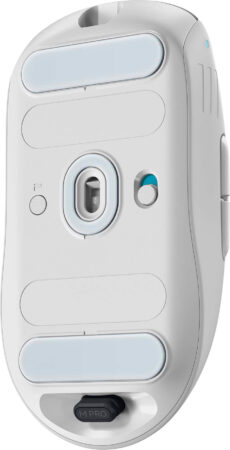
Another important component to consider is how well a mouse moves across a given surface, which comes down the mouse feet on the bottom that gives it a smooth glide across mousepads and desktops. Similar to many other pro-level mice on the market, Alienware opted for Polytetrafluoroethylene (PTFE) feet which, aside being a mouthful to say out loud, is ideal for its nonstick, low friction capabilities. This is a great addition as it elevates this mouse above a vast majority of available options. Interestingly enough, the semi-transluscent gray coloring of the feet is natural, as mice with anything but this color feet use a different material, or dye, both of which are less than ideal when it comes to performance. The patented magnetic system employed by the key plates, or left/right mouse buttons, enables swift clicking and immediate return to their initial position. This is made possible by the presence of two opposing magnets that exert force on the mouse clicks in both directions. As a result, the clicks are exceptionally smooth, gratifying, and springy, setting it apart from any other mouse I have experienced. Additionally, Alienware guarantees a lifespan of up to 70 million clicks for each mouse button, ensuring its durability and longevity. The scroll wheel located between the key plates is equipped with a rubberized grip and notched design to provide tactile feedback while scrolling in any direction. Although it may not offer the same level of smoothness as other mice, it does provide precise movement and can be easily clicked as the middle mouse button. Additionally, there are two thumb buttons on the side that can be customized to your preference. While these buttons are easy to click, they are positioned slightly higher and more forward than what I am accustomed to, requiring some time to get used to. The bottom of the mouse features a profile button that allows you to switch between five presets for adjusting DPI sensitivity, polling rate, and more on the go. Furthermore, there is a USB-C dongle storage compartment built into the bottom of the mouse for convenient travel storage. The Pro Wireless Mouse is crafted to cater to a diverse range of grip styles, such as claw, palm, and fingertip grips, in order to attract a broad audience. Its symmetrical shape is suitable for both left and right-handed users, with a slight taper on each side to support your pinky finger. Despite its versatility, the mouse's uniform shape, which is slightly tall, may not be to everyone's liking. While it may not be tailored to specific grip preferences like some other mice on the market, its all-encompassing design can be a drawback for users like myself who prefer a claw grip. The bulky midsection of the mouse can be cumbersome during extended use.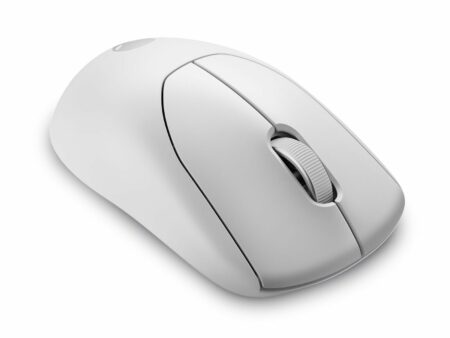
Alienware Pro Wireless Mouse - Software Suite.
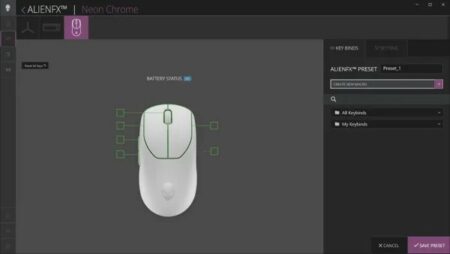
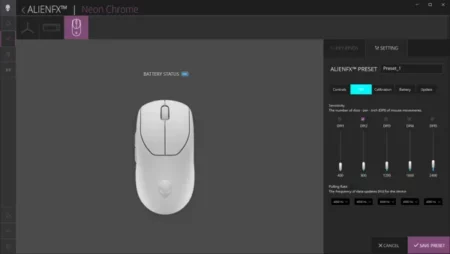
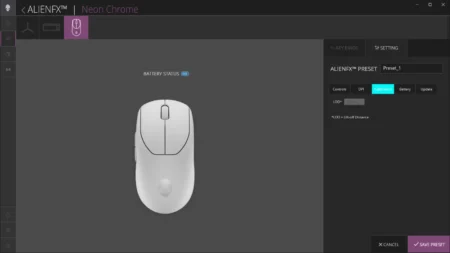
The Pro Wireless Mouse can be used without the Alienware Command Center, but if you want to customize the settings, you should download the app on your PC. Although it doesn't offer a wide range of customization options, you can still configure keybinds, macros, and settings for the five onboard profiles. Each profile allows you to adjust the DPI sensitivity from 0-26,000 and modify the polling rate from 125Hz to the advertised 4000 Hz in wireless mode. Moreover, you can conserve battery life by automatically reducing the polling rate when the battery level reaches a certain threshold, and activate sleep mode when the mouse is inactive for a specific period of time. Lastly, you have the option to check and update the firmware of both the mouse and dongle if needed.