


Best Z790 motherboards
While Intel 13th Gen can still work on Z690 boards, it might be better to future-proof your rig with one of the best Z790 motherboards on the market
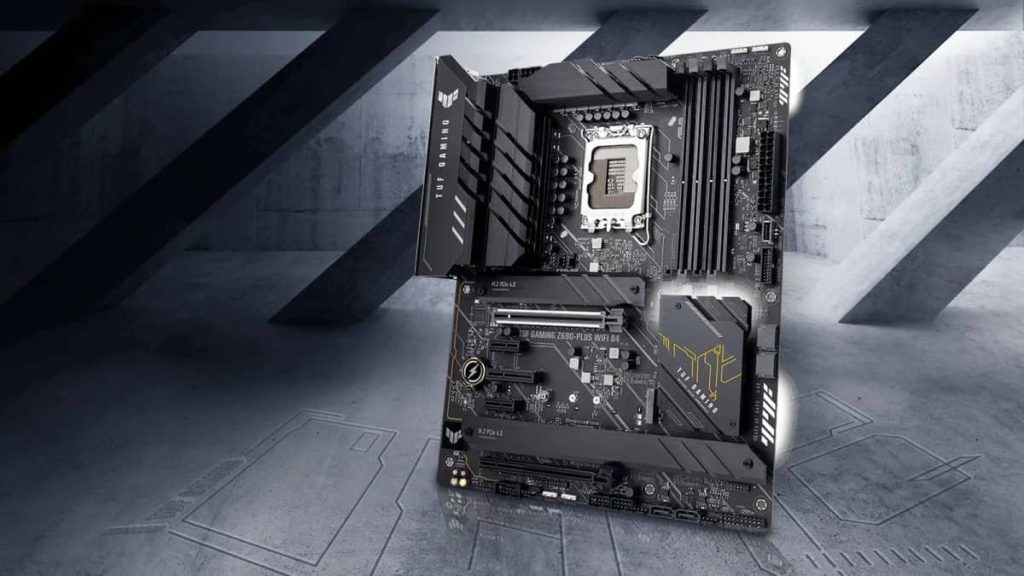 Intel has finally released its new 13th Gen CPUs. For now, this is the best piece of tech you’ll find on the market. As always, this new technology calls for an upgrade on older PC components. The Z790 is proof of these constant improvements and responsiveness on the market.
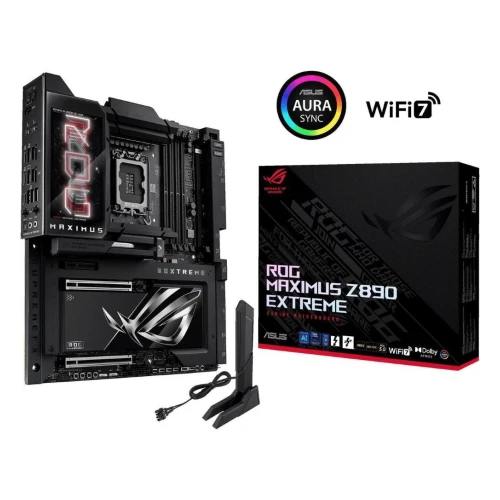
If you want to get the most out of PCIe 5.0, DDR5 memory, and the LGA 1700 socket, you’ll have to get yourself one of the best Z790 motherboards. If you’re still undecided on upgrading and may want to go with a Z690 board instead, find the best ones to buy here. Below, we’ll uncover the absolute best Z790 motherboards for 2022.
Intel has finally released its new 13th Gen CPUs. For now, this is the best piece of tech you’ll find on the market. As always, this new technology calls for an upgrade on older PC components. The Z790 is proof of these constant improvements and responsiveness on the market.
If you want to get the most out of PCIe 5.0, DDR5 memory, and the LGA 1700 socket, you’ll have to get yourself one of the best Z790 motherboards. If you’re still undecided on upgrading and may want to go with a Z690 board instead, find the best ones to buy here. Below, we’ll uncover the absolute best Z790 motherboards for 2022.
How we picked the best Z790 motherboards
To pick the best motherboard, we checked connectivity and connection speeds on the component’s ports. Top Z790 motherboards can leverage some incredible RAM speeds. Once we selected the best competitors, we categorized them in accordance with the amount and type of sockets, form factor, ports and slots, aesthetics, WiFi speed system, and ethernet velocity.Features and considerations
When choosing a Z790 motherboard, you are going with cutting-edge technology, so you’ll need the fastest DDR5 RAM and a strong PCI Express to reduce any latency and increase bandwidth. The first thing to consider is overall power and speed. A Z790 motherboard has to be capable of handling swift information transportation speeds and immense heat condensation. One of the biggest changes with the new CPUs and GPUs is the amount of heat they emit. Although manufacturers have tried their best to improve this aspect, heat production via PC components is even greater than it used to be, hence the advances in cooling systems and heat dissipation. So, make sure to consider a board with a lot of space for cooling. Moreover, you’ll also need to consider features such as the board’s form factor. You can find the standard size (ATX) and smaller sizes, micro-ATX and mini-ITX, as well as another form factor called E-ATX. The standard ATX is the most common size. It works perfectly for gamers and the mass majority of PC enthusiasts. However, most motherboards you’ll see on this list will be E-ATX (Extended ATX), which are larger boards that allow more room for vital components to breathe and cool. Thus, you’ll get better performance overall from these, but they are more expensive.PROS
- Non-ECC, Un-buffered DDR5 Memory supports
- 2 Thunderbolt 4 ports
- PCIe 5 Gen support
- 10 GbE LAN port
CONS
- Pricey
- Overkill if not using with high-end components
PROS
- Great UBS port availability
- Strong 10GB ethernet connection
- PCIe release button
- Outstanding memory support
CONS
- It lacks USB4 ports
- Audio codec could’ve been better
PROS
- Thunderbolt connections
- DDR5 up to 7800+ (OC)
- Supports Intel XMP3.0 OC
- Beautiful colors
CONS
- Still unreleased
PROS
- AI cooling control
- PCIe support
- Personalized lighting features
- Thunderbolt USB connector
CONS
- No Gen5 compatible M.2 slots
ASUS enters the list once more. This company proves to be at the forefront of the motherboard design ethos. On this occasion, the PRIME Z790-A WiFi is an affordable option to enter the realm of next-gen technologies. This board is backed by the reliability of one of the most trusted manufacturers on the market. The board has an ATX form factor, hence its price point. It’s not built for high-end overclocking, but its first-hand materials deliver outstanding performance metrics.
The Prime Z790-A is engineered to leverage a robust power design and a comprehensive cooling solution. Although we’ve seen big numbers on this list, not everybody will squeeze the best out of these motherboards, so the Prime Z790-A is here to balance them all out. It has 16 + 1 Teamed Power Stages (60A) with Enlarged Heatsinks, Gen 5 PCI Slot for Graphics Cards, and AEMP II for the ultimate DDR5 performance. Besides, it has the well know Asus AI cooling system behind it, in addition to WiFi 6E and 2.5GB Ethernet.
If you’re not an overclocker and know by heart you won’t be trying to exploit your PC, this is a great option. You’ll be able to run practically any game you want, complete almost any workload, and do it all while running both a cool and safe rig, without giving up an arm and a leg for it.
That’s all among the best Z790 motherboards, bringing the aptest performance in line with all-new PC components. Whether you decide to go with Intel 13th Gen or AMD’s 7000 series, there’s a motherboard for you on this list. With RDNA3 and RTX 4080 cards on the near horizon, PC enthusiasts have a lot to look forward to as they consider new rig concepts. And the motherboard is at the very heart of that build potential, so be sure to make it a worthwhile choice.
Best DDR4 RAM In 2022
RAM is one of the few components yet to go through a global shortage, so let's find the best sticks for your lovely PC.
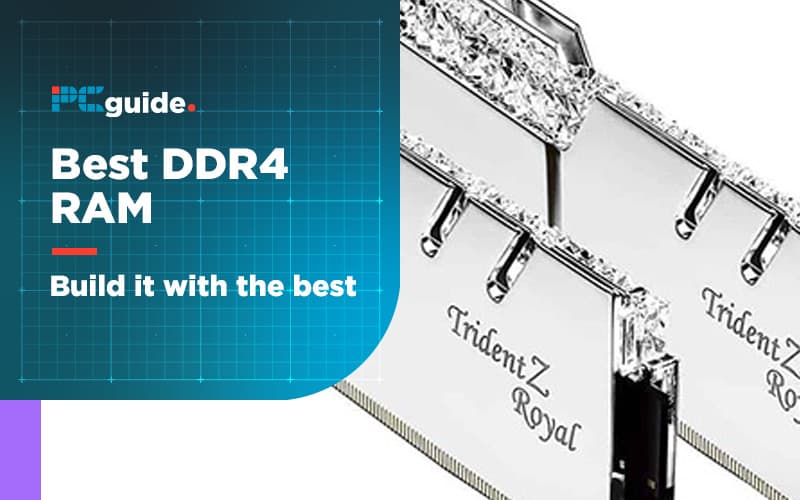
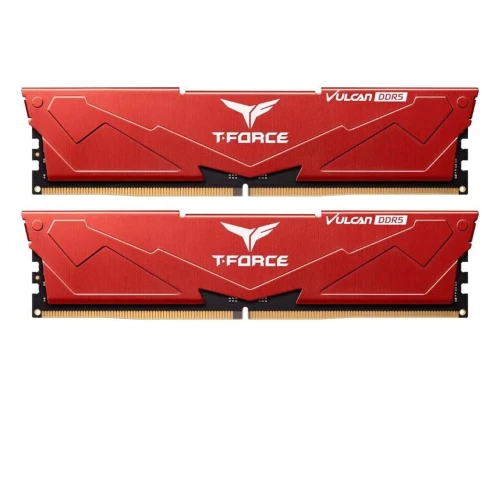
Buying DDR4 RAM for gaming may not always look easy, but don’t worry: we have you covered. Whether you’re trying to find the fastest RAM on the market, RGB RAM to complete your build’s lighting or even the best RAM for the money, we got you covered.
Below, we’ve provided seven options to choose from. Each of these options comes from reputable manufacturers, and any one of them could be the best RAM… depending on your needs, of course. If you aren’t certain how to decipher specs or what they actually mean, we’ve also included a buying guide at the bottom of the article explaining everything you need to know.
Enough of the setup, though. You want the best RAM for gaming – let’s hop into the options when it comes to both an RGB kit and RAM with a little less bling..
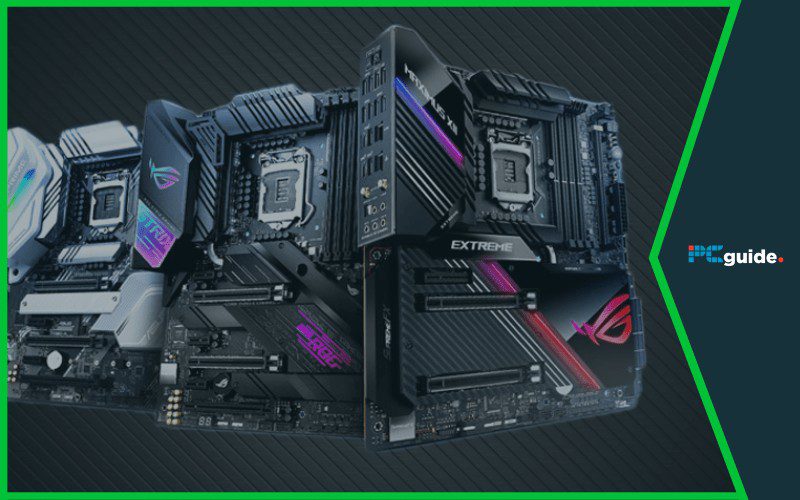 As well as the recent CPU and chipset launches that have been going on from AMD and the usual levels of hysteria they cause, it’s almost been possible to forget that Intel has launched their 10th Gen processors and that they are too a big deal.
Moving to the new LGA 1200 socket means that anybody interested in this later silicon iteration is going to need a new motherboard. Simply trying to cram a 10th gen into a 9th gen motherboards is going to be a costly mistake.
That means upgrading to Intel’s latest and greatest is a sizeable upgrade on tech and simultaneous downgrade on the amount of money in your wallet, as you will also need to pick up a new mobo with the LGA 1200 socket on board at the same time.
Fortunately some great models are already hitting the streets and these come in a range of specs and models to suit most build budgets.
Of course, when you add the 10th gen chip to the basket at the same time, not much is going to feel ‘budget’ about what you are buying, but you should be safe in the knowledge that your purchase will last you a good few years before you need to hit the upgrade trail once more.
So here our initial thoughts on five of the best Z490 motherboards out there for your new 10th gen Intel CPU. More boards are arriving all the time as this is very much a new line, so this page could end up being updated frequently as we get more and more surprises, but right now, any of the five we have picked here will set you firmly off on your 10th gen adventure.
Let’s go
As well as the recent CPU and chipset launches that have been going on from AMD and the usual levels of hysteria they cause, it’s almost been possible to forget that Intel has launched their 10th Gen processors and that they are too a big deal.
Moving to the new LGA 1200 socket means that anybody interested in this later silicon iteration is going to need a new motherboard. Simply trying to cram a 10th gen into a 9th gen motherboards is going to be a costly mistake.
That means upgrading to Intel’s latest and greatest is a sizeable upgrade on tech and simultaneous downgrade on the amount of money in your wallet, as you will also need to pick up a new mobo with the LGA 1200 socket on board at the same time.
Fortunately some great models are already hitting the streets and these come in a range of specs and models to suit most build budgets.
Of course, when you add the 10th gen chip to the basket at the same time, not much is going to feel ‘budget’ about what you are buying, but you should be safe in the knowledge that your purchase will last you a good few years before you need to hit the upgrade trail once more.
So here our initial thoughts on five of the best Z490 motherboards out there for your new 10th gen Intel CPU. More boards are arriving all the time as this is very much a new line, so this page could end up being updated frequently as we get more and more surprises, but right now, any of the five we have picked here will set you firmly off on your 10th gen adventure.
Let’s go
PROS
- Great capacity, good speed
- The best RGB solution, hands-down
CONS
- Pricey
PROS
- Great capacity
- Stellar speeds
CONS
- Highly variable pricing and availability
PROS
- Great performance
- Good looking desin
- More understated RGB
CONS
- G.Skill can be expensive
PROS
- Superb speed
- Well-suited for Ryzen 7 and Threadripper builds
- Low CAS latency
CONS
- High end ram, high end price
PROS
- Will certainly stand out in your build
- Great CAS latency for speed
- Great reputation for Ryzen CPUs
CONS
- Expensive
- Probably looks ridiculou
The is the ram that any rapper building his own PC would go for. Without a doubt. We have picked the silver version here, but yes it also comes in gold (google it!)
The G.Skill TridentZ series is a particular favorite among Ryzen enthusiasts, since they have a higher chance of using Samsung B-Dies. (We’ll explain why this matters in the buying guide below.)
Even without that, though, these TridentZ RAM sticks with their 16GB capacity are rated to reach up to 3200 MHz, good for any Ryzen build, but especially good for a Ryzen APU build. Set aside 2GB or so for the iGPU and you’ll be in business for a surprisingly strong 1080p gaming experience, even with some modern AAA games.
The CAS Latency is well-balanced with the 3200 MHz speed here, so that shouldn’t cause any problems, either.
If you are the kind of hobbyist that likes their builds to match beautifully though, good luck finding a GPU and mobo to match with this 16GB kit!
How To Find The Best DDR4 RAM
In this section, we’re going to answer any questions you might have about DDR4 RAM, its specs, and what you need to know before buying it. If you still have any questions left after reading this section, feel free to leave a comment below the article and we’ll get back to you as soon as possible.What Is DDR4 RAM?
DDR4 RAM is the successor standard to DDR3 RAM, which is the successor to DDR2, and so on. The naming scheme is fairly logical here, fortunately.
DDR4 RAM usually comes in one of two form factors: DIMMs and soDIMMs. DIMMs are the main desktop form factor (and the only one covered in this article), while soDIMMs are much smaller and used for laptop RAM upgrades. Either DIMM is an individual memory unit, and all of the RAM kits we’ve included in this article have 2 DIMMs. We’ll explain why in a little bit.
What Is XMP/AMP?
The XMP profile and AMP profile are standards for running RAM at higher clock speeds. They offer pre-defined profiles for easy RAM overclocking, which is ideal for users who aren’t ready to do it themselves.
We generally recommend this approach to achieving the most speed out of your RAM, since doing your own overclocking is a process involving extensive trial-and-error. Even if you plan on doing your own OCs, XMP/AMP profiles can show you good starting points.
In higher-end RAM kits, both of these profiles are generally included. Despite XMP being Intel and AMP being AMD, there is no known performance difference and– generally speaking– both will be compatible with your platform of choice. In other words, if you’re looking for the best DDR4 RAM for your Ryzen or Intel CPU, just choose good RAM.
What does Single-Channel, Dual-Channel, And Quad-Channel mean?
“Channel” refers to how many DIMMs are running in synchronization with each other and has a great impact on speed. Below, we’ve listed common channel configurations and their impact on performance.
Note: To run RAM in multi-channel configurations, every DIMM needs to match in speed, capacity, and (ideally) brand.
- Single-Channel – A single RAM stick. This will achieve only half of its rated speed, and serve to bottleneck the CPU.
- Dual-Channel – Two RAM sticks. These will reach their rated speeds, and serve a literal 2x performance improvement over SC setups.
- Quad-Channel – Four RAM sticks. These will reach their rated speeds and do offer more performance than Dual-Channel, but these gains are fairly marginal and won’t be seen in most games/applications.
How Does RAM Speed Affect Performance?
Here’s the thing about gaming RAM: if you only look at average FPS, you probably aren’t going to see a difference. If there is one, it will be incredibly marginal… or you upgraded to a dual-channel setup from a single-channel one. (Really, guys: don’t do single-channel, ever.)
In any case, RAM speed is one of those specs that people love to tout around but few actually understand. We’re going to do our best to demystify it now.
Since DDR4 RAM emerged into the mainstream, higher RAM speeds have become the standard. DDR4’s starting speed of 2400 MHz is higher than DDR3’s peak speed of 2133 MHz, and since RAM is usually sold at its minimum spec…
Most users experienced a 2x RAM speed increase moving from DDR3 to DDR4 RAM platforms.
This difference was felt in a slight FPS boost by most gamers, but otherwise didn’t seem to matter to non-professional users.
What many don’t realize is that RAM speed actually impacts minimum FPS, not maximum or average. In other words, faster RAM speed will improve your gaming experience by reducing the severity of FPS drops– in some cases, to the point where your display’s refresh rate is still beneath your FPS drop. This is ideal for gamers who want a completely smooth gaming experience.
How Much RAM Do I Need?
RAM capacity is another hot topic, with many consumers and OEMs stuffing as much RAM as possible into their machines. This has reached a point where high-end gaming laptops (with midrange PC performance) are toting around a whopping 16 GB of DDR4 RAM, dramatically raising prices.
Spoiler alert: this usually isn’t necessary.
- 8 GB RAM – The minimum spec recommended for gamers and common consumers. While Chrome will massacre this pool if you let it, this should be more than enough for gaming and common multitasking.
- 16 GB RAM – This is recommended primarily for professionals and streamers, who need the extra RAM to work with. Unless your multitasking needs are particularly severe, this is unnecessary for a pure gaming rig.
- 32 GB RAM – This is for career professionals and streamers, using applications, VMs, etc that require a RAM pool this large. This is well beyond any level of practicality for a gaming PC.
- 64 GB RAM – Stop. (Unless you’re running a server– in that case, this should work.)
Do Heatsinks And RGB Make A Difference?
Heatsinks
If you’re overclocking, heatsinks (heat spreaders) make a difference. Otherwise, no– RAM doesn’t generate much heat at all, and letting it run naked shouldn’t come with any significant penalty to speak of.RGB
RGB lighting doesn’t make a performance difference when you are looking for the best RGB RAM, but it does look pretty. And really, isn’t that the biggest difference between them all?Best Z490 Motherboards in 2022
Match up your 10th gen Intel processor with one of the best boards currently out there
As well as the recent CPU and chipset launches that have been going on from AMD and the usual levels of hysteria they cause, it’s almost been possible to forget that Intel has launched their 10th Gen processors and that they are too a big deal.
Moving to the new LGA 1200 socket means that anybody interested in this later silicon iteration is going to need a new motherboard. Simply trying to cram a 10th gen into a 9th gen motherboards is going to be a costly mistake.
That means upgrading to Intel’s latest and greatest is a sizeable upgrade on tech and simultaneous downgrade on the amount of money in your wallet, as you will also need to pick up a new mobo with the LGA 1200 socket on board at the same time.
Fortunately some great models are already hitting the streets and these come in a range of specs and models to suit most build budgets.
Of course, when you add the 10th gen chip to the basket at the same time, not much is going to feel ‘budget’ about what you are buying, but you should be safe in the knowledge that your purchase will last you a good few years before you need to hit the upgrade trail once more.
So here our initial thoughts on five of the best Z490 motherboards out there for your new 10th gen Intel CPU. More boards are arriving all the time as this is very much a new line, so this page could end up being updated frequently as we get more and more surprises, but right now, any of the five we have picked here will set you firmly off on your 10th gen adventure.
Let’s go
PROS
- Great storage options
- Contemporary, functional design
- Heatsinks and smart fans keep things chilled
CONS
- ‘Limited’ to 128GB RAM
PROS
- Superb cooling
- hree M.2 slots
- Good connectivity
- Support for 256GB RAM
CONS
PROS
- Affordable for most budgets
- Great cooling
- Similar styling to much more expensive boards
CONS
- Throttled performance compared to high-end boards
PROS
- Popular board loved by many
- Good cooling
- Affordable
CONS
- Only basic updates from Z390
- Perhaps more expensive than it needs to be
PROS
- Great audio
- Good cooling performance
- Good connectivity
- Superb overclocking
CONS
What’s new in the Z490 boards?
Z490 boards are an incremental upgrade to support Intel’s new socket design the LGA 1200. Its main advantages over its aging sibling is faster memory support, optional 2.5GB ethernet, and wireless Wifi 6 standard protocol.
The new socket is the big deal here as it means to get close to the 10th gen chips you need a new mobo too. The package of the actual chips themselves is the same meaning that existing coolers will fit just fine, but just don’t try and ram a 10th gen CPU into a 9th gen socket and vice versa.
Besides that, the chipsets are remarkably similar between Z390 and Z490 but it’s the access to the new socket that is going to cost you.