


Crucial MX500 SSD review: Good, but not class-leading mass storage for any PC
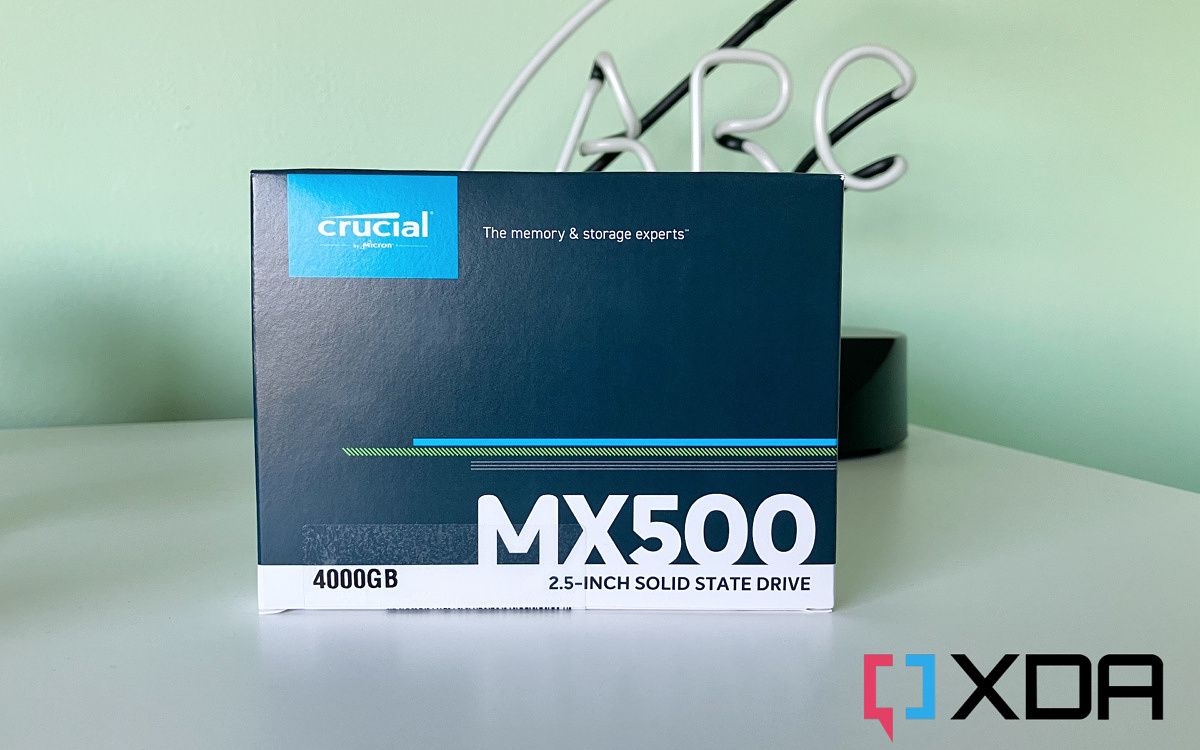 There was a time when adding large quantities of storage to your PC would require using 3.5-inch hard drives. However, they're large, clunky, and slow, so it felt like you were dragging your files through a molasses swamp. But they got the job done.
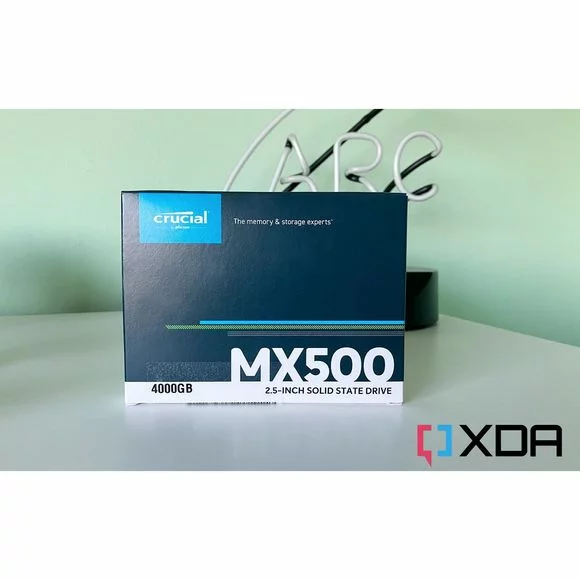
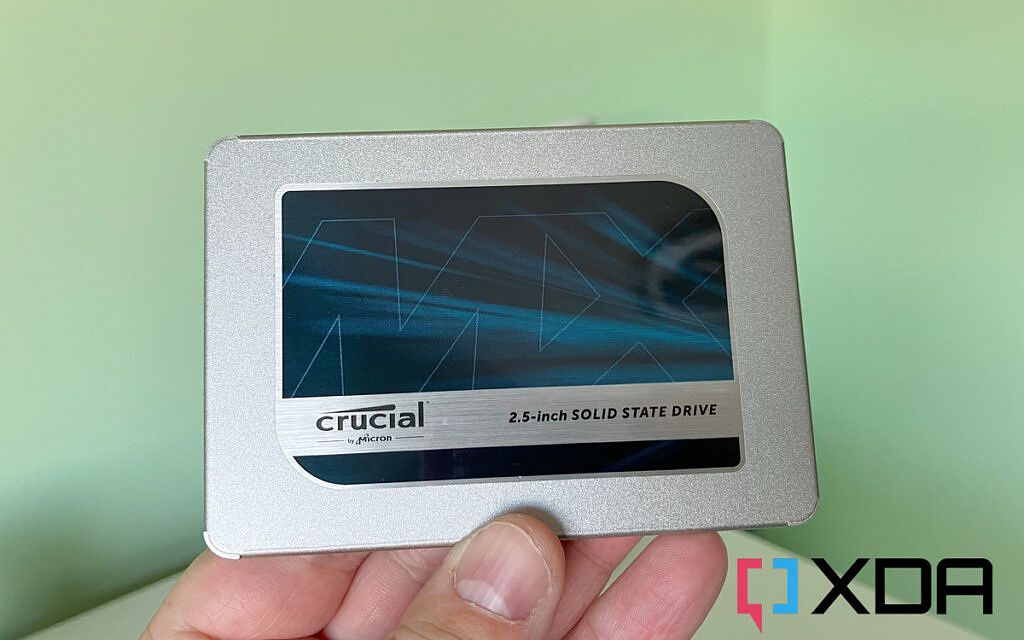
Fortunately, while you can still buy mechanical hard drives, they're better suited to something like a NAS than a desktop PC or a laptop. That's partly due to the affordable nature of the best SSDs right now. The faster the storage, the more you'll pay for smaller capacities. But SATA SSDs are still very much a thing, and that's where the Crucial MX500 SSD comes into play. What we have here is a 2.5-inch SSD that runs silently and has no moving parts, with up to a whopping 4TB capacity. Other sizes are available that are more attractively priced.
There was a time when adding large quantities of storage to your PC would require using 3.5-inch hard drives. However, they're large, clunky, and slow, so it felt like you were dragging your files through a molasses swamp. But they got the job done.
Fortunately, while you can still buy mechanical hard drives, they're better suited to something like a NAS than a desktop PC or a laptop. That's partly due to the affordable nature of the best SSDs right now. The faster the storage, the more you'll pay for smaller capacities. But SATA SSDs are still very much a thing, and that's where the Crucial MX500 SSD comes into play. What we have here is a 2.5-inch SSD that runs silently and has no moving parts, with up to a whopping 4TB capacity. Other sizes are available that are more attractively priced.
Crucial MX500 SSD specs
| Spec | Crucial MX500 |
|---|---|
| Size | 2.5-inch |
| Interface | SATA 3.0 |
| Max read/write speed | 560 MB/s / 510 MB/s |
| Warranty | 5 years |
| Capacities | 250GB, 500GB, 1TB, 2TB, 4TB |
Performance and software: Good, but not great
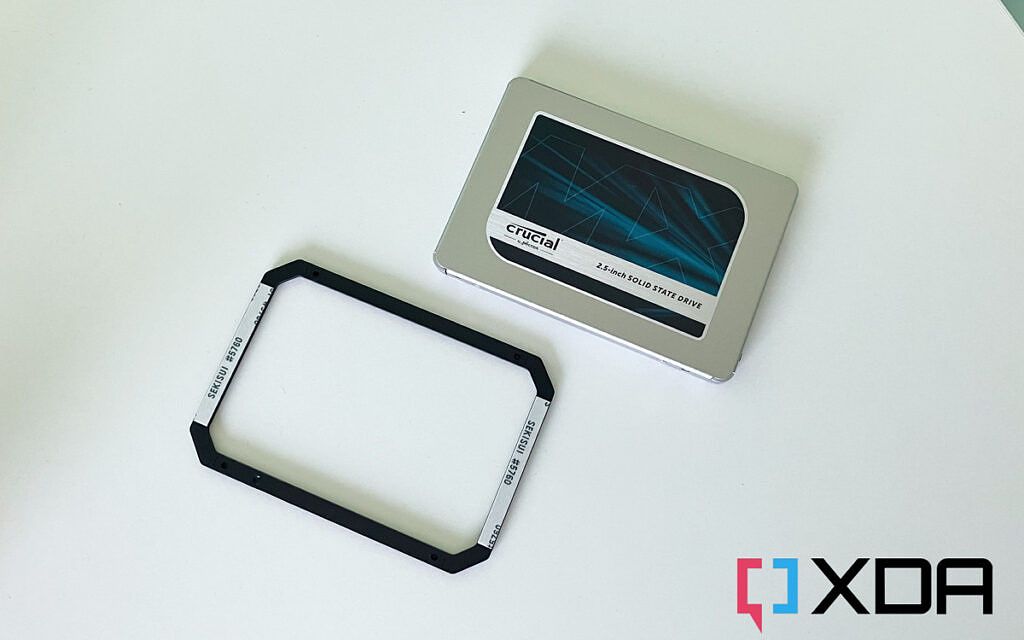 The MX500 is a fairly unassuming product. It's a SATA SSD, so you're not buying it for the fastest performance. This is the new generation mass storage, many times faster than a mechanical HDD while being smaller and more reliable.
In the box, besides the SSD, you also get a plastic bracket. There's nothing to tell you what it's for, but given the adhesive on one side, it would appear to be some kind of spacer. Fix it to one of the panels in your PC case and it'll provide a non-metallic bed for the SSD to rest upon.
For performance, you're limited by the SATA 3.0 specification. The absolute maximum is around 600MB/s, so ideally, you want to be as close as possible to that.
The image below shows the results of a benchmark in CrystalDiskMark 8, testing both sequential and random performance.
The MX500 is a fairly unassuming product. It's a SATA SSD, so you're not buying it for the fastest performance. This is the new generation mass storage, many times faster than a mechanical HDD while being smaller and more reliable.
In the box, besides the SSD, you also get a plastic bracket. There's nothing to tell you what it's for, but given the adhesive on one side, it would appear to be some kind of spacer. Fix it to one of the panels in your PC case and it'll provide a non-metallic bed for the SSD to rest upon.
For performance, you're limited by the SATA 3.0 specification. The absolute maximum is around 600MB/s, so ideally, you want to be as close as possible to that.
The image below shows the results of a benchmark in CrystalDiskMark 8, testing both sequential and random performance.
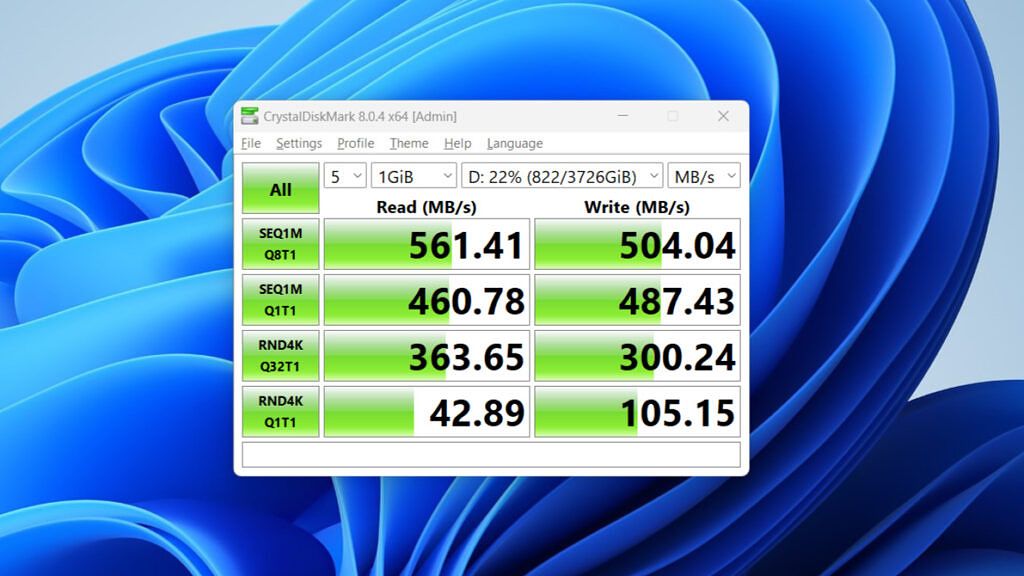 For read speeds, the MX500 is up there with the likes of the Samsung 870 EVO, arguably the best SATA SSD you can buy. The write speeds are a little disappointing, though, coming in lower than Samsung by about 25MB/s in our tests. This isn't a huge deal and not one you'll notice in everyday use. But the competition is still faster. The same is true of the random read and write scores, both handily behind Samsung's performance.
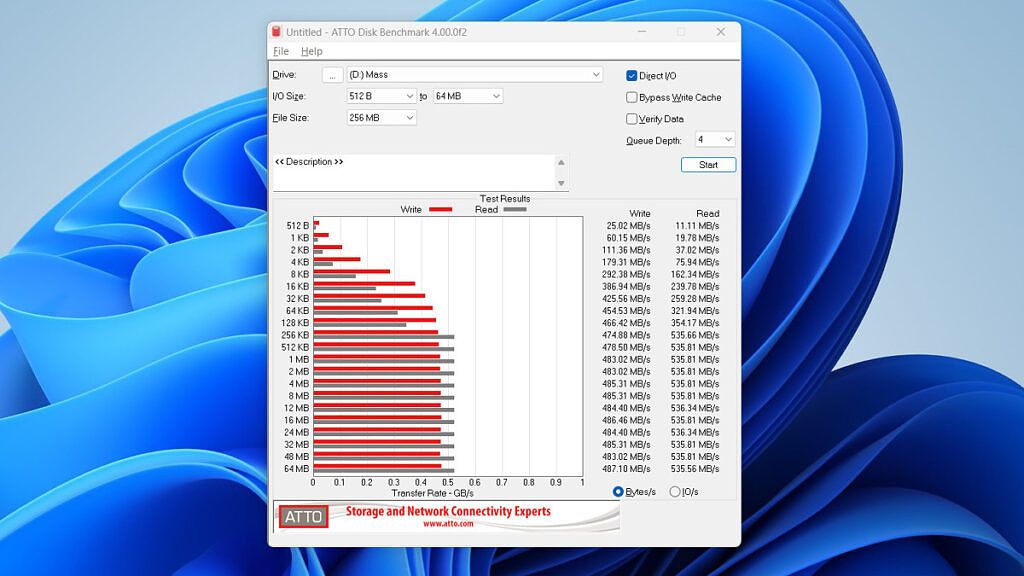 It scores 852 in the 3DMark storage benchmark, which tests a variety of gaming-oriented scenarios. In reality, the MX500 4TB was a fantastic mass storage drive for games, loading them quickly and providing a huge locker to store a large Steam library in. Temperature wise it usually runs at 25 degrees Celsius (77 degrees Fahrenheit).
Of course, performance will vary between the different capacities and even between different units. The bottom line is that the MX500 is good, but it's not the best in class.
The software side is the only real cause for criticism. There is a companion app for all Crucial SSDs, and it works just fine — or it does for the P5 Plus, which I'm currently using to boot Windows 11. The MX500 doesn't seem to register.
It scores 852 in the 3DMark storage benchmark, which tests a variety of gaming-oriented scenarios. In reality, the MX500 4TB was a fantastic mass storage drive for games, loading them quickly and providing a huge locker to store a large Steam library in. Temperature wise it usually runs at 25 degrees Celsius (77 degrees Fahrenheit).
Of course, performance will vary between the different capacities and even between different units. The bottom line is that the MX500 is good, but it's not the best in class.
The software side is the only real cause for criticism. There is a companion app for all Crucial SSDs, and it works just fine — or it does for the P5 Plus, which I'm currently using to boot Windows 11. The MX500 doesn't seem to register.
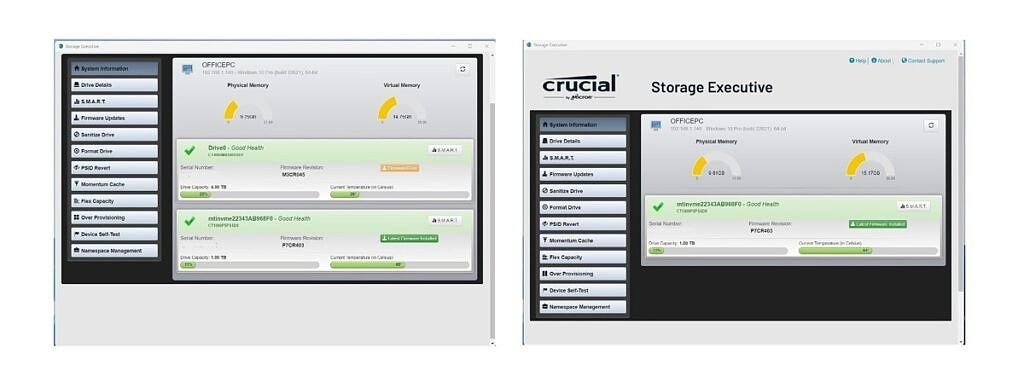 Well... most of the time it doesn't. Rebooting the PC seems to make it appear, but as soon as another tab is selected in the app, it disappears again. This isn't a huge deal most of the time, but it's a simple way to ensure the SSD has the latest firmware. The alternative method to install it is much worse.
This involves downloading the firmware from Crucial's website and installing it manually. This isn't necessarily a tough ask, but Crucial decided to offer the firmware as an ISO, meaning to install it, you have to burn the ISO to a bootable flash drive, reboot your PC into BIOS/UEFI, tell it to boot from this USB drive, boot, then flash the firmware. It's so convoluted that most average users should just not bother. In comparison, Samsung has its excellent Magician app. The overall experience here is just not quite as polished.
Perhaps I'm just experiencing some bugs with the companion app. I hope that's the case, and that it'll get fixed.
Well... most of the time it doesn't. Rebooting the PC seems to make it appear, but as soon as another tab is selected in the app, it disappears again. This isn't a huge deal most of the time, but it's a simple way to ensure the SSD has the latest firmware. The alternative method to install it is much worse.
This involves downloading the firmware from Crucial's website and installing it manually. This isn't necessarily a tough ask, but Crucial decided to offer the firmware as an ISO, meaning to install it, you have to burn the ISO to a bootable flash drive, reboot your PC into BIOS/UEFI, tell it to boot from this USB drive, boot, then flash the firmware. It's so convoluted that most average users should just not bother. In comparison, Samsung has its excellent Magician app. The overall experience here is just not quite as polished.
Perhaps I'm just experiencing some bugs with the companion app. I hope that's the case, and that it'll get fixed.
Who should buy the Crucial MX500?
 ou should buy if:
- You're looking for good quality mass storage
- You're upgrading an older PC or laptop
- You have a large game library
- You're looking for fast storage for booting an operating system
- You want the absolute best-performing SATA SSD