


Dell UltraSharp 27 Thunderbolt Hub Monitor (U2724DE) Review
PROS
- Twin Thunderbolt 4 ports for main connection and daisy-chaining
- Ethernet connectivity
- High-contrast screen, thanks to IPS Black display technology
- Full sRGB color coverage
CONS
- Lacks speakers
DELL ULTRASHARP 27 THUNDERBOLT HUB MONITOR (U2724DE) SPECS
| Panel Size (Corner-to-Corner) | 27 inches |
| Native Resolution | 2560 by 1440 |
| Aspect Ratio | 16:9 |
Good Image Quality and a Slew of Ports
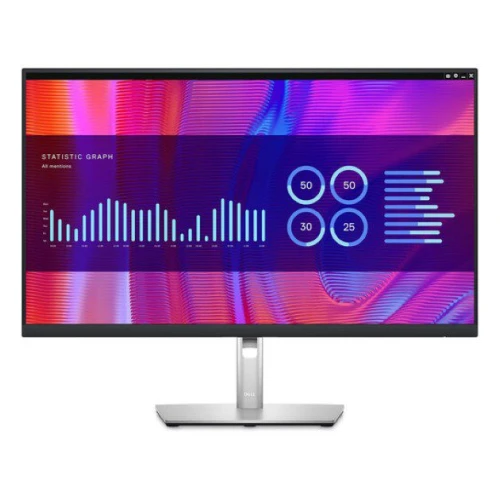
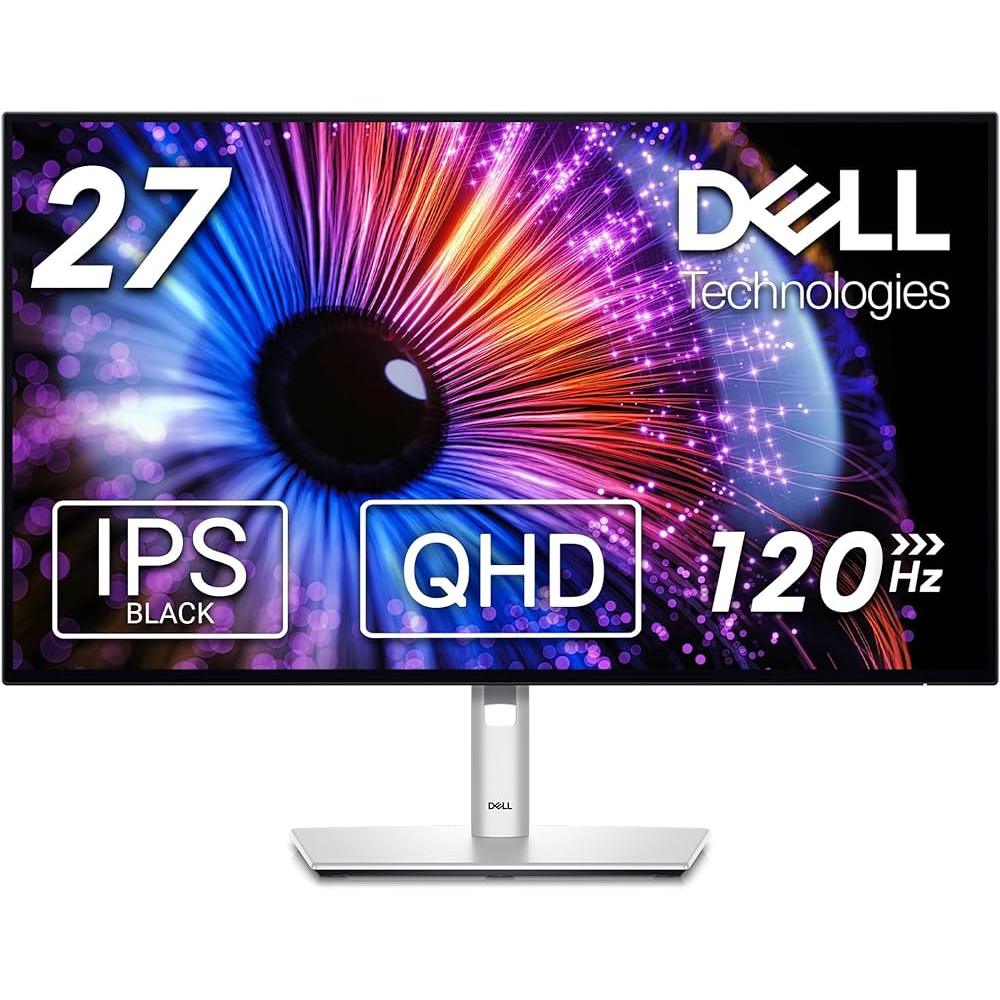
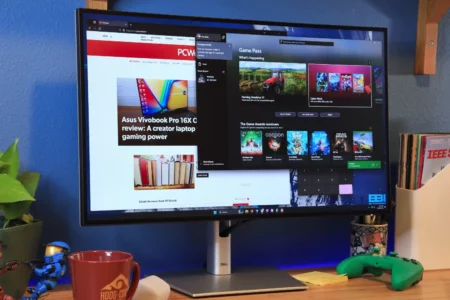
The U2724DE is housed in a sleek silver cabinet with black bezels, giving it a stylish and modern look. It has compact dimensions of 15.2 by 22.1 by 7.8 inches (HWD) and a manageable weight of 14.6 pounds. When fully extended, the shaft connecting the cabinet to the base adds an extra 5.9 inches in height, providing a generous range of adjustability. The monitor offers versatile ergonomic features, allowing you to tilt the top up to 5 degrees towards you or 21 degrees away from you. Additionally, you can swivel the screen 45 degrees in either direction and easily switch between landscape and portrait modes. With these ergonomic options, the U2724DE ensures optimal comfort and adaptability for your viewing needs. The panel measures 27 inches diagonally and features a native QHD resolution of 2,560 by 1,440 pixels, also known as 1440p. This results in a pixel density of 108 pixels per inch (ppi). While this level of pixel density is sufficient for viewing or editing photos, videos, or intricate diagrams, it falls short of the standards we expect from a professional creator-class monitor. Generally, a monitor with a higher pixel density will produce a sharper image, assuming all other factors remain constant.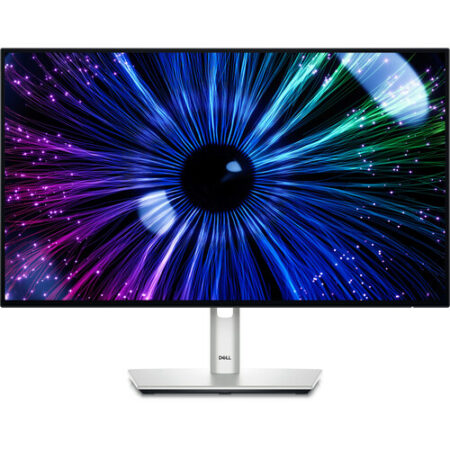
PROS
- Twin Thunderbolt 4 ports for main connection and daisy-chaining
- Ethernet connectivity
- High-contrast screen, thanks to IPS Black display technology
- Full sRGB color coverage
CONS
- Lacks speakers
DELL ULTRASHARP 27 THUNDERBOLT HUB MONITOR (U2724DE) SPECS
| Panel Size (Corner-to-Corner) | 27 inches |
| Native Resolution | 2560 by 1440 |
| Aspect Ratio | 16:9 |
Good Image Quality and a Slew of Ports
The U2724DE is housed in a sleek silver cabinet with black bezels, giving it a stylish and modern look. It has compact dimensions of 15.2 by 22.1 by 7.8 inches (HWD) and a manageable weight of 14.6 pounds. When fully extended, the shaft connecting the cabinet to the base adds an extra 5.9 inches in height, providing a generous range of adjustability. The top of the monitor can be tilted up to 5 degrees towards you or 21 degrees away from you, allowing for optimal viewing angles. Additionally, the screen can swivel 45 degrees in either direction, and the panel can be easily switched between landscape and portrait modes. With these ergonomic features, the U2724DE offers a complete range of adjustments to suit your preferences and enhance your comfort. The panel measures 27 inches diagonally and features a native QHD resolution of 2,560 by 1,440 pixels, resulting in a pixel density of 108 pixels per inch (ppi). While suitable for viewing or editing photos, videos, or detailed diagrams, it falls slightly short of the standards expected in a professional creator-class monitor. Generally, a monitor with higher pixel density will produce a sharper image, assuming all other factors are the same.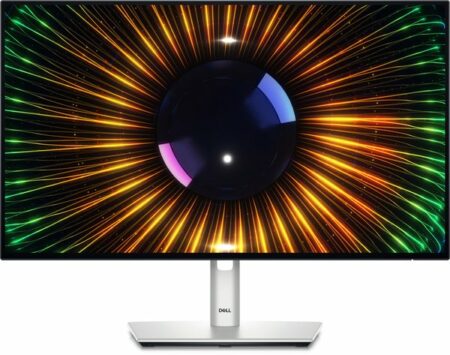
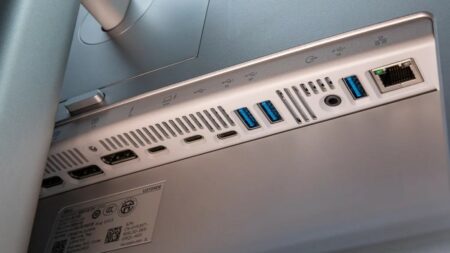 The RJ-45 Ethernet port on the U2724DE allows for connectivity in situations where your laptop's Wi-Fi signal is weak or unavailable. Additionally, it offers support for Wake on LAN (WoL), PXE boot, and Mac address pass-through features. Dell provides three cables with the monitor: Thunderbolt 4, DisplayPort, and USB-A-to-USB-C.
The display screen does not come with integrated speakers, but it is equipped with a 3.5mm audio-out port that is compatible with headphones or active external speakers.
The RJ-45 Ethernet port on the U2724DE allows for connectivity in situations where your laptop's Wi-Fi signal is weak or unavailable. Additionally, it offers support for Wake on LAN (WoL), PXE boot, and Mac address pass-through features. Dell provides three cables with the monitor: Thunderbolt 4, DisplayPort, and USB-A-to-USB-C.
The display screen does not come with integrated speakers, but it is equipped with a 3.5mm audio-out port that is compatible with headphones or active external speakers.
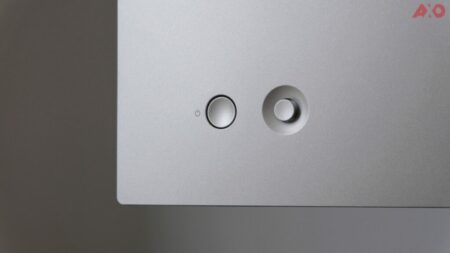 The U2724DE's onscreen display (OSD) can be easily controlled and settings can be adjusted through a compact four-way joystick controller with a central button. This particular configuration has become widely adopted in productivity, professional, and gaming monitors.
Testing the Dell U2724DE: Bright, Contrasty, and Colorful
I evaluated the brightness, contrast ratio, and color-gamut coverage of the U2724DE by utilizing our standard testing equipment: a Klein K-10A colorimeter, a Murideo signal generator, and Portrait Displays' Calman for Business calibration software. Dell has specified the U2724DE's luminance at 350 nits (candelas per square meter), but during testing, it actually reached 359 nits. This level of brightness is suitable for various business tasks, such as photo and video editing, and even gaming. It is important to note that this monitor does not have HDR support. Additionally, the contrast ratio was measured at 2,244:1, surpassing the rated 2,000:1 contrast ratio and significantly higher than a typical IPS panel.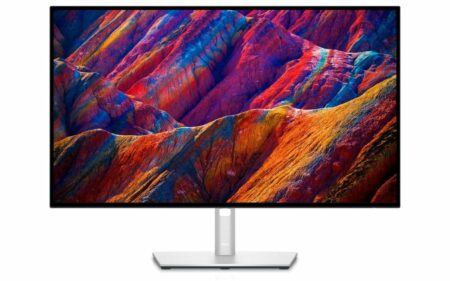
Verdict: Making Connections on a Budget
 Art directors and creative professionals may consider investing in the Dell UltraSharp 40 Curved Thunderbolt Hub Monitor (U4025QW), which is an Editors' Choice award-winning docking-station monitor featuring a spacious 40-inch screen with a resolution and pixel density that is ideal for photos, videos, and detailed diagrams. On the other hand, if Thunderbolt connectivity is not a priority, the Dell UltraSharp 27 4K USB-C Hub Monitor (U2723QE) offers 4K UHD resolution, high pixel density, and a similar feature set to the U2724DE. For those looking for a more budget-friendly option, the Philips Brilliance 279P1 provides 4K resolution and full sRGB coverage in a USB-C hub monitor.
If budget is a concern and you prioritize Thunderbolt connectivity over 4K resolution, the U2724DE is a solid option to consider.
Art directors and creative professionals may consider investing in the Dell UltraSharp 40 Curved Thunderbolt Hub Monitor (U4025QW), which is an Editors' Choice award-winning docking-station monitor featuring a spacious 40-inch screen with a resolution and pixel density that is ideal for photos, videos, and detailed diagrams. On the other hand, if Thunderbolt connectivity is not a priority, the Dell UltraSharp 27 4K USB-C Hub Monitor (U2723QE) offers 4K UHD resolution, high pixel density, and a similar feature set to the U2724DE. For those looking for a more budget-friendly option, the Philips Brilliance 279P1 provides 4K resolution and full sRGB coverage in a USB-C hub monitor.
If budget is a concern and you prioritize Thunderbolt connectivity over 4K resolution, the U2724DE is a solid option to consider.
PROS
CONS