CONS
DELL 34 CURVED USB-C MONITOR (S3423DWC) SPECS
| Panel Size (Corner-to-Corner) |
34 inches |
| Native Resolution |
3440 by 1440 |
| Aspect Ratio |
21:9 |
| Screen Technology |
VA |
| Rated Screen Luminance |
300 nits |
| Rated Contrast Ratio |
3000:1 |
| Pixel Refresh Rate |
100 Hz |
| Adaptive Sync |
AMD FreeSync |
| Video Inputs |
HDMI (2), USB-C |
| USB Ports (Excluding Upstream) |
2 |
| VESA DisplayHDR Level |
NA |
| Dimensions (HWD) |
19.3 by 31.8 by 8.5 inches |
| Weight |
33 lbs |
| Height-Adjustable Stand? |
|
| Tilting Stand? |
|
| Swiveling Stand? |
|
| Landscape/Portrait Pivot |
|
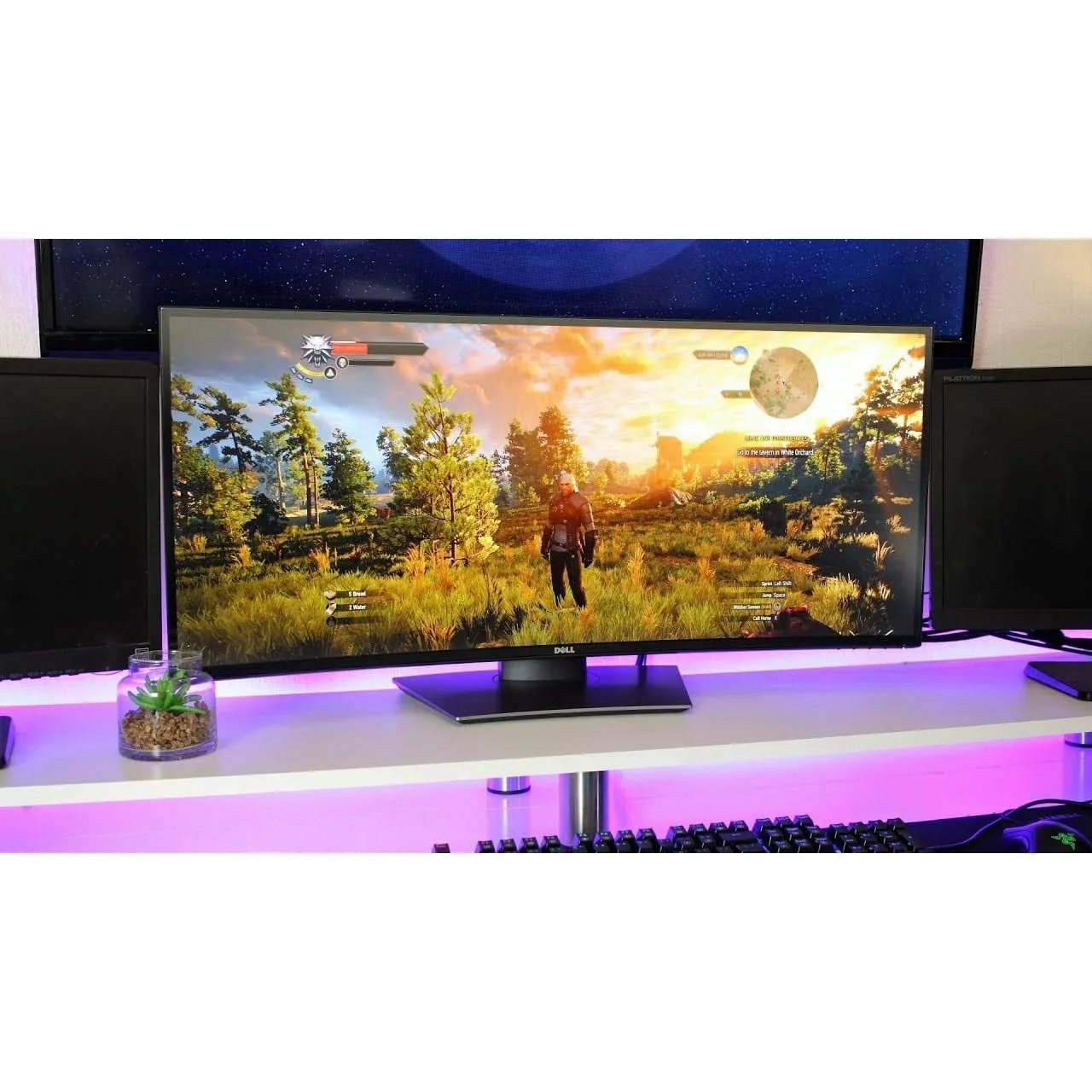
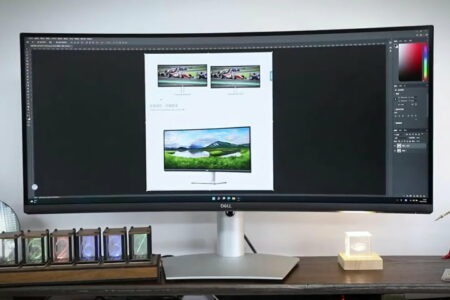
The Dell 34 Curved USB-C Monitor (S3423DWC) effortlessly straddles the realms of business and entertainment, offering an expansive screen that caters to various needs. Whether you need to organize multiple app windows, view extensive spreadsheets, or immerse yourself in flight simulations or racing games, this ultrawide 34-inch display. MSRP, currently on sale for is the perfect fit. Its versatility extends beyond the office, making it an ideal addition to a home office, den, or family room, serving as both a reliable work companion and a gaming monitor. While there may be more specialized options available for productivity or gaming purposes, the S3423DWC excels with its vibrant visuals, vivid colors, and exceptional contrast, ensuring a satisfying experience in any setting.
The Wide Curved VA Panel is Expansive.
The standout characteristic of the Dell S3423DWC is its 34-inch display (measured diagonally) featuring native UWQHD (3,440-by-1,440-pixel) resolution, resulting in a 21:9 aspect ratio. With a pixel density of 109 pixels per inch (ppi), this monitor is typical of ultrawide displays and offers ample sharpness for everyday photo and video editing tasks.
The S3423DWC monitor utilizes vertical alignment (VA) technology, renowned for its capability to display rich blacks. VA panels are commonly found in gaming monitors, as their high contrast ratio improves gamers' ability to spot hidden adversaries. While Dell does not market the S3423DWC as a dedicated gaming monitor—such models typically carry the Alienware branding or explicitly mention gaming in their product names—its exceptional contrast, ultrawide aspect ratio, support for AMD FreeSync, and 100Hz refresh rate make it perfectly suitable for occasional gaming sessions.
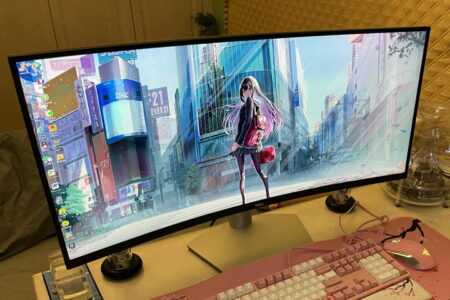
Typically, ultrawide monitors like the Dell model come with a curved screen that enhances the viewing experience by providing a more immersive display compared to a flat screen. The Dell monitor specifically has a 1800R curvature, indicating that if you were to align multiple S3423DWC monitors together in a circular formation, the radius of that circle would measure 1,800mm (1.8 meters). While this curvature is significant, it is still more moderate in comparison to the ultra-tight 1000R curvature found in monitors like the Samsung Odyssey G9 Gaming Monitor.
Dell's Easy Arrange functionality enables users to efficiently arrange multiple application windows on their screen and easily snap them into a preferred template.
The S3423DWC's ergonomic capabilities are quite restricted, similar to other ultrawide displays. It is supported by a compact and robust base, accompanied by a stand that allows for a 3.9-inch height adjustment. Additionally, you have the option to tilt the top of the monitor up to 5 degrees towards or 21 degrees away from you. In case you prefer to wall-mount the unit, there are VESA bracket-compatible holes available at the back of the cabinet (VESA bracket not included).
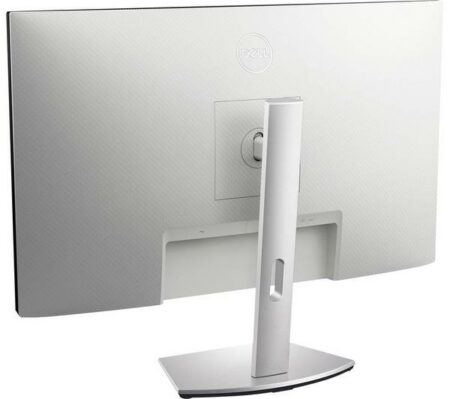
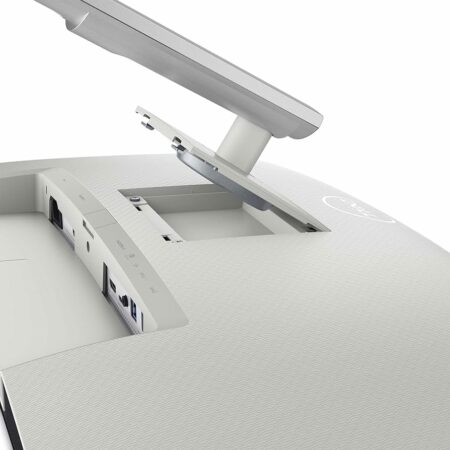
The Dell features a single upstream USB-C port that supports DisplayPort over USB Alternate Mode and can deliver up to 65 watts of USB power. This allows for powering or charging a connected laptop. Additionally, there is an upstream USB 3.2 Type-B port and two downstream USB 3.2 Type-A ports, with one providing up to 10 watts for charging handheld devices. With a pair of HDMI ports and the primary USB-C port, users can connect the monitor to three input sources and switch between them using a single keyboard and mouse, a setup known as a virtual KVM switch by Dell.
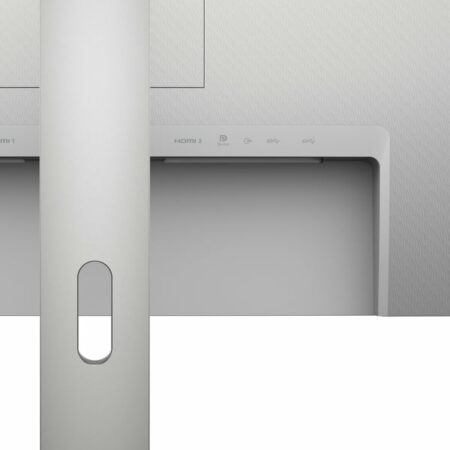
The display is equipped with a security lock slot and a headphone jack. All ports are located facing downward in a recessed area at the back, with the exception of a single USB-A port at the bottom which is relatively more accessible. Without the option to pivot the display, users will need to lean over or go to the back of the cabinet to connect or disconnect cables.
The S3423DWC from Dell comes with a relatively slim one-year warranty. While Dell extends three years of coverage for many of its other monitors, Philips surpasses the norm by providing an additional fourth year of support.
I conducted an evaluation of the Dell S3423DWC's luminance, contrast ratio, and color accuracy by utilizing our standard testing equipment, which includes a Klein Instruments K-10A colorimeter, a Murideo SIX-G signal generator, and Portrait Displays' CalMAN 5 calibration software.
Dell has specified the monitor's luminance to be 300 nits (candelas per square meter), however, upon measurement, it was found to be slightly higher at 313 nits. This level of brightness is more than sufficient for typical office tasks, as well as for photo and video editing. Being a VA panel, the S3423DWC boasts a contrast ratio of 3,000:1, but it actually outperformed this with an impressive score of 4,185:1. (Refer to our monitor testing methods for more information.)




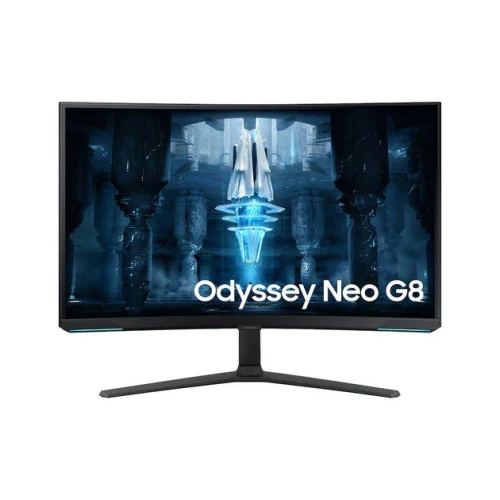


 Consider either the Alienware 27 Gaming Monitor (AW2721D) or the ViewSonic Elite XG270QG, both of which are. Editors' Choice winners, if you are looking to concentrate on gaming. For those who are financially comfortable, the Samsung Odyssey G9, with its impressive super-wide 49-inch screen and 32:9 aspect ratio, may be worth the investment.
If you are interested in gaming, you may want to consider the Alienware 27 Gaming Monitor (AW2721D) or the ViewSonic Elite XG270QG, both of which have been recognized as. Editors' Choice winners. For affluent gamers, the Samsung Odyssey G9, boasting a remarkable super-wide 49-inch screen with a 32:9 aspect ratio, could be a suitable choice.
That said, between its high contrast, panoramic profile, great sRGB color coverage, and sensible port selection, the Dell S3423DWC is a fine choice for a display on which to toil all day and get in some gaming on evenings and weekends.
Consider either the Alienware 27 Gaming Monitor (AW2721D) or the ViewSonic Elite XG270QG, both of which are. Editors' Choice winners, if you are looking to concentrate on gaming. For those who are financially comfortable, the Samsung Odyssey G9, with its impressive super-wide 49-inch screen and 32:9 aspect ratio, may be worth the investment.
If you are interested in gaming, you may want to consider the Alienware 27 Gaming Monitor (AW2721D) or the ViewSonic Elite XG270QG, both of which have been recognized as. Editors' Choice winners. For affluent gamers, the Samsung Odyssey G9, boasting a remarkable super-wide 49-inch screen with a 32:9 aspect ratio, could be a suitable choice.
That said, between its high contrast, panoramic profile, great sRGB color coverage, and sensible port selection, the Dell S3423DWC is a fine choice for a display on which to toil all day and get in some gaming on evenings and weekends.